AI Fullstack Developer — React, Python & FDE Skills
Built for real work.
Learn ReactJS and the complete GenAI & AI Engineer curriculum together. Build interfaces, Python/FastAPI backends, MySQL databases, RAG applications and AI agents. Develop skills relevant to Forward Deployed Engineering (FDE): project planning, breaking projects into tasks, debugging and AWS deployment. Recorded classes in Telugu include personal doubt and error support throughout your access period.
AI-Powered ReactJS demo
GenAI & AI Engineer demo
Understand the course, teaching approach, and learning experience.
Build skills you can actually use.
Authentication that works
Signup, login, logout, password recovery, JWT handling, and API errors.
A complete shopping experience
Product listings, search, product details, cart quantities, and state management.
Practical application features
File uploads, cookies, browser storage, location access, and payment integration.
From your laptop to the cloud
AWS deployment, GitHub collaboration, CI/CD, and AI-assisted code review.
AI Resume Builder
Structured output and reusable prompt templates.
Enterprise RAG Doc Chatbot
Embeddings, a vector database, retrieval, and grounded document answers.
AI Research / Sales Agent
Tool use, web and data workflows, and coordinated agents.
Capstone AI SaaS Agent
A deployed product with user management, usage tracking, and cost control.
Tools you’ll work with
Who is this course for?
Start with HTML, CSS and JavaScript, then ReactJS. Python recordings are included before progressing to backend APIs and AI application development.
React and Python full-stack AI applications with practical FDE skills. This combines the existing ReactJS and GenAI curricula. Java and Spring Boot are covered in the separate Java-based AI Fullstack Developer course; FDE is a relevant career direction, not a job guarantee.
Compare the learning paths →
Anji Reddy Co-Founder & Trainer
10+ years of industry experience across Infosys, QuickRide and SBD Automotive. Practical software skills, explained in Telugu.
Meet your trainerKnow exactly what you’ll learn.
21 modules · 291 topics · Recorded in Telugu
01ReactJS · HTML21 topics+
- Introduction
- HTML page syntax
- Create an HTML page and check the output
- HTML, head, and body tags
- Heading and paragraph tags
- Attributes
- Images: display, height, and width
- Ordered lists
- Unordered lists
- Tables: rows and columns
- Forms: text, password, email, date, and file inputs
- Forms: dropdowns
- Forms: radio buttons, checkboxes, and textareas
- Buttons
- Style tag
- Import CSS with the link tag
- Import JavaScript with the script tag
- Class and ID attributes
- Div tags: divide a page into blocks
- Meta tags: title, description, and keywords
- Meta tags for SEO and social sharing: Facebook, Twitter, and Google
02ReactJS · CSS17 topics+
- Colors: hexadecimal, RGB, and RGBA
- Fonts: family, color, and size
- Apply colors to HTML tags
- Apply colors using class and ID selectors
- Image styles: width, height, and auto
- Width and height
- Borders: radius and color
- Padding
- Margin
- Background colors
- Shadows
- Flexbox
- Alignment
- Positioning
- Grid
- Using new fonts
- Font Awesome icons
03ReactJS · Bootstrap13 topics+
- Bootstrap introduction
- Using Bootstrap in ReactJS
- Page layout: rows and columns
- Navigation
- Forms
- Tables
- Text formatting
- Cards
- Text colors
- Background colors
- Modal popups
- Tooltips
- Alerts
04ReactJS · JavaScript51 topics+
- Introduction
- Local setup: Node.js and Visual Studio Code
- Write your first JavaScript code and check the output
- Variables introduction
- let, var, and const
- Strings and string methods
- Practice strings
- Numbers
- Booleans
- Convert strings to numbers and numbers to strings
- JSON objects
- Practice JSON objects
- Arrays: strings, numbers, and mixed values
- Access and update array values
- Access and update JSON arrays
- For loops
- While loops
- Do-while loops
- forEach loops
- Break and continue
- Practice loops
- Comparison operators: equality, greater than, less than, and more
- Logical operators: AND, OR, and NOT
- Conditional operator
- If-else conditions
- Switch statements
- Array map function
- Array filter function
- Array sort function
- Practice array functions
- Functions and methods
- Arrow functions
- Classes and the this keyword
- Modules
- Import and export
- Practice functions and classes
- Callbacks
- Promises
- Async and await
- Practice callbacks and async/await
- Error handling
- Working with dates
- Practice real-world concepts
- Real-world use cases with strings
- Real-world use cases with numbers
- Real-world use cases with JSON objects
- Filter JSON arrays
- Update JSON arrays
- Data validation: forms and API inputs
- If-else conditions in practice
- Working with arrays
05ReactJS · ReactJS32 topics+
- Introduction
- Create a ReactJS project
- Run the project and check browser output
- Explore project folders
- Create a React component with JavaScript and HTML
- Display a React component in the browser
- Use state variables
- Display JavaScript variable data in HTML
- JSX syntax and rules
- Create a page with multiple components
- NPM: install, update, and delete packages
- Create multiple pages and navigation with React Router
- Homepage design: navigation, content, footer, images, headings, paragraphs, rows, and columns
- Forms: name, email, password, dropdowns, radio buttons, checkboxes, and buttons
- Read form data into JavaScript variables
- Data validation and displaying errors
- API introduction: Fetch API and Axios
- Handle API errors and read responses
- Local storage: store and retrieve browser data
- API practice: login, signup, and contact forms
- How login works: login, logout, and cookies
- useEffect and useRef
- Pass data from parent to child and child to parent
- E-commerce product listing page
- Single product page
- Update profile page
- Add, update, delete, and view addresses
- Display API response data in HTML tables
- Redux: setup, store, and retrieve data
- File uploads: images, documents, and validation
- Build a project
- Deploy the project to a server
06ReactJS · Git & GitHub11 topics+
- What is Git and GitHub
- Install Git
- Create a repository
- Clone a project to your system
- Create, delete, and rename branches
- Add files to tracking
- Commit code
- Push and pull
- Create pull requests and merge branches
- Merge branches
- Resolve merge conflicts
07ReactJS · Job assistance4 topics+
- Interview preparation
- Mock interviews
- Resume preparation
- LinkedIn and Naukri profile setup
08ReactJS · AI for developers9 topics+
- AI vs ML vs GenAI vs agents
- How ChatGPT and LLMs work
- Hallucinations, incorrect code, and security risks
- Writing effective prompts
- Role-based prompting
- Structured prompts
- Using Codex and Claude
- Project development using prompts
- Code review, updates, and bug fixes
09GenAI & AI Engineer · Coding fundamentals4 topics+
- Python basics (recorded)
- Complete Python: 25 recorded classes included free
- MySQL
- FastAPI
10GenAI & AI Engineer · Generative AI & LLM foundations13 topics+
- AI fundamentals
- AI vs ML vs deep learning
- NLP basics
- Evolution of large language models
- Transformer architecture overview
- Attention mechanism: conceptual clarity
- Tokenization and embeddings
- Context windows and limitations
- Temperature, Top-p, and hallucination
- OpenAI, Claude, and Gemini comparison
- API-based vs open-source models
- Cost vs performance trade-offs
- Prompt tokens vs completion tokens
11GenAI & AI Engineer · Advanced prompt engineering15 topics+
- Zero-shot prompting
- Few-shot prompting
- Chain of Thought (CoT)
- ReAct: reason and act
- Role-based system prompting
- JSON output formatting
- Function calling
- Tool calling
- Guardrails
- Prompt chaining
- Multi-step reasoning workflows
- Prompt debugging techniques
- Reducing hallucination
- Cost optimization
- Latency optimization
12GenAI & AI Engineer · Retrieval-Augmented Generation (RAG)15 topics+
- What is RAG?
- Traditional RAG vs agentic RAG
- Chunking strategies
- Embeddings deep dive
- Similarity search
- Pinecone and Chroma overview
- LlamaIndex basics
- Indexing strategies
- Metadata filtering
- Hybrid search
- Context injection strategies
- Re-ranking
- Evaluation of RAG outputs
- Project: Enterprise Document Chatbot
- Project: Resume-based Q&A bot
13GenAI & AI Engineer · AI agent architecture & design patterns14 topics+
- What is agentic AI?
- Agent vs LLM vs workflow
- Agentic AI building blocks
- Single-agent vs multi-agent systems
- Human-in-the-loop systems
- Planning pattern
- Reflection pattern
- Tool-use pattern
- Multi-agent collaboration pattern
- Memory architecture: short-term vs long-term
- LangChain overview
- LangGraph fundamentals
- CrewAI fundamentals
- AutoGen basics
14GenAI & AI Engineer · Multi-agent systems & autonomous workflows11 topics+
- Role-based agents
- Coordinator-agent pattern
- Agent communication strategies
- Task decomposition
- Workflow orchestration
- Long-running agent systems
- Agent state management
- Error handling in autonomous workflows
- Project: AI Research Agent
- Project: AI Sales Intelligence Agent
- Project: Multi-agent content automation system
15GenAI & AI Engineer · Fine-tuning & local LLMs9 topics+
- When to fine-tune vs when to use RAG
- LoRA and QLoRA basics
- Hugging Face ecosystem
- Model evaluation basics
- Dataset preparation basics
- Running local LLMs
- Performance trade-offs
- GPU vs CPU considerations
- Security implications
16GenAI & AI Engineer · Production-ready AI applications16 topics+
- OpenAI and Claude API integration
- Streaming responses
- Rate limits and error handling
- Secure API handling
- Authentication strategies
- Chat history storage
- Context trimming
- Conversation state management
- Token usage tracking
- Per-user cost control
- Budget caps
- Cost estimation per SaaS user
- Input validation
- Prompt injection handling
- Output moderation
- Secure system prompt design
17GenAI & AI Engineer · Capstone: AI SaaS product development11 topics+
- Build one complete AI product
- Option: AI Resume Builder
- Option: AI Interview Coach
- Option: AI Sales Automation Agent
- Option: AI CRM Intelligence Layer
- User management
- API usage tracking
- Cost dashboard
- Deployment-ready structure
- Scalable architecture
- Basic logging and monitoring
18GenAI & AI Engineer · Deployment & DevOps for AI systems7 topics+
- Deploy AI apps on AWS
- Server setup basics
- Environment management
- API keys and secret handling
- Monitoring and logging basics
- Scaling considerations
- Deployment checklist
19GenAI & AI Engineer · Observability & monitoring6 topics+
- AI output evaluation
- Prompt experimentation
- Workflow tracing
- Error logging
- User feedback loop integration
- Agent performance monitoring basics
20GenAI & AI Engineer · Career upgrade & portfolio development8 topics+
- How to list AI projects
- GitHub project structuring
- Writing AI-focused resume bullet points
- AI interview questions
- Explain LLM architecture
- Explain RAG for interviews
- Explain agent systems
- Cost optimization discussions
21GenAI & AI Engineer · Freelance & SaaS monetization4 topics+
- Sell AI automation to clients
- SaaS pricing models
- Consulting positioning
- Proposal structure basics
AI Fullstack Developer — React, Python & FDE Skills course questions
What will I learn in the AI Fullstack Developer — React, Python & FDE Skills course?
Learn ReactJS and the complete GenAI & AI Engineer curriculum together. Build interfaces, Python/FastAPI backends, MySQL databases, RAG applications and AI agents. Develop skills relevant to Forward Deployed Engineering (FDE): project planning, breaking projects into tasks, debugging and AWS deployment. Recorded classes in Telugu include personal doubt and error support throughout your access period.
Where should I start?
Start with HTML, CSS and JavaScript, then ReactJS. Python recordings are included before progressing to backend APIs and AI application development.
What is the AI Fullstack Developer — React, Python & FDE Skills course fee?
The fee is ₹4,499 for three years, or ₹7,499 for lifetime access. Prices are in INR and include applicable taxes. Doubt and error support is included throughout the selected period.
Can I upgrade to lifetime access later?
Yes. While your paid course access is active, eligible learners can upgrade in My Learning by paying the current regular lifetime price minus their original payment, including any original discount. Upgrades include lifetime course-related support, do not accept coupons and do not restart the original refund window. Contact support for migrated or manually granted access.
Are the courses live or recorded?
All courses use recorded lessons taught in Telugu. Learn at your own pace, revisit topics, and practise alongside the recordings.
How do I get help with doubts and coding errors?
Personal doubt and error support is available through WhatsApp and Zoom throughout your purchased access period. Share the problem you are working on and get guidance to understand and resolve it.
How long can I access the course and support?
Choose three years or lifetime access when purchasing. Course access and doubt support are included for the full selected period.
Can I use my account on more than one device?
One login session is allowed at a time. Signing in on another device ends your previous sessions. Multiple tabs in the same browser can use the same session.
Is career preparation included?
The curriculum includes interview and resume preparation, with project development and guidance to help you explain your work. Student outcomes are individual experiences, not a promise of employment.
Can I view the syllabus and demo before purchasing?
Yes. The course introduction video and full syllabus are available on this page without signing in. Review the topics and teaching approach before choosing an access plan.
For purchase terms, read our terms and conditions and refund policy.
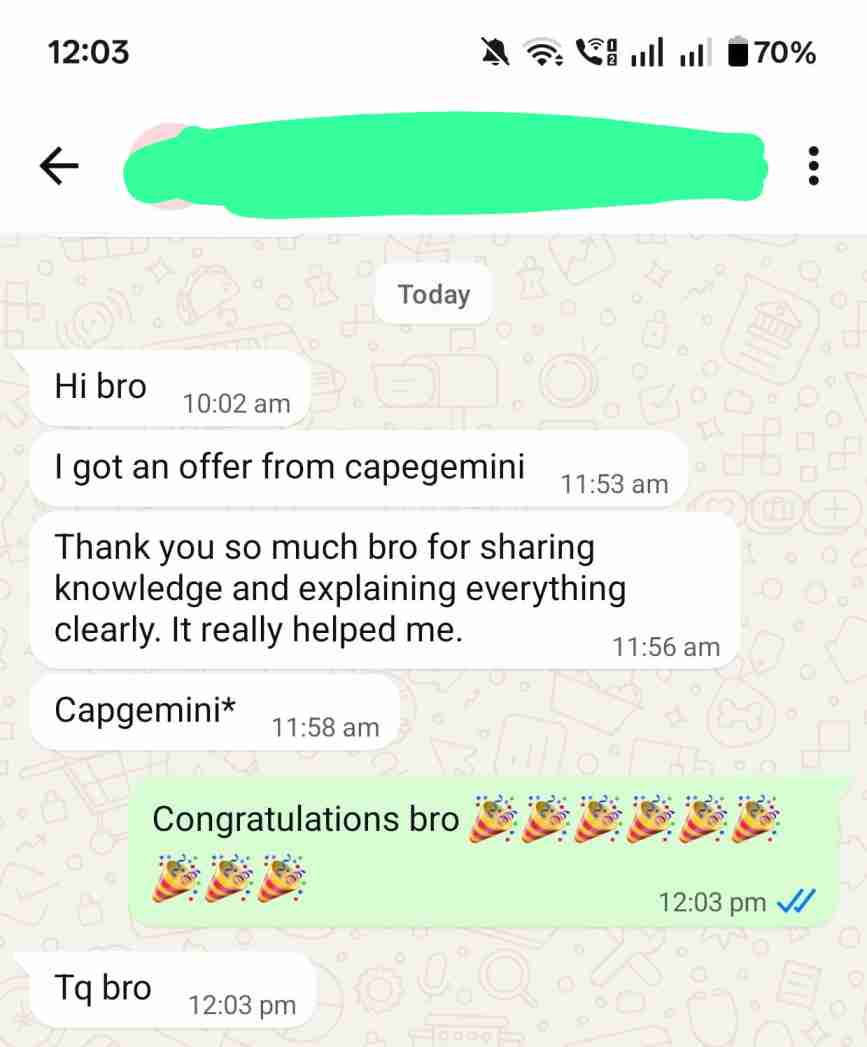
Real experiences.
Shared by our students.
In their own words. Open any screenshot to read it in full.