Java Spring Boot
Built for real work.
Learn Java and Spring Boot in Telugu through recorded lessons covering Java fundamentals, MySQL and backend development. Build secure APIs, authentication, file uploads and e-commerce services, then learn AWS deployment and AI integration with and without Spring AI. Personal doubt and error support is included throughout your purchased access period.
Understand the course, teaching approach, and learning experience.
Build skills you can actually use.
Secure backend APIs
Authentication, JWT creation and validation, authorization, and properly handled exceptions.
Real application services
Emails, validated file uploads to AWS, schedulers, batch processing, and logging.
E-commerce microservices
Database design, external APIs, discovery services, caching, and backend workflows.
Cloud and AI integrations
Deployment on AWS, practical cloud services, and AI integration with and without Spring AI.
Tools you’ll work with
Who is this course for?
The syllabus starts with Java fundamentals and SQL before Spring Boot. Work through these foundations before building backend APIs and services.
Backend development: Java, MySQL, Spring Boot APIs, authentication, microservices, AWS and Spring AI.
Compare the learning paths →
Anji Reddy Co-Founder & Trainer
10+ years of industry experience across Infosys, QuickRide and SBD Automotive. Practical software skills, explained in Telugu.
Meet your trainerKnow exactly what you’ll learn.
6 modules · 113 topics · Recorded in Telugu
01Java38 topics+
- Introduction to backend development
- Install Java, Eclipse, and VS Code; configure environment paths
- Write and execute Java code
- Classes and methods
- Variables and data types
- Strings and string methods
- Numbers: int and float
- Post-increment and pre-increment
- Post-decrement and pre-decrement
- Booleans
- Arithmetic operators: addition, subtraction, multiplication, division, and remainder
- Comparison operators: less than, greater than, equality, and inequality
- Logical operators: AND, OR, and NOT
- If-else conditions
- Nested if-else
- Switch statements
- For loops
- While loops
- Do-while loops
- Break and continue
- Object-oriented programming introduction
- Classes and constructors
- Objects and calling methods
- Inheritance
- Method overloading
- Method overriding
- Access modifiers: private, public, and protected
- Abstract classes and methods
- Interfaces
- ArrayList
- LinkedList
- HashMap
- HashSet
- Exception handling
- Threads
- Working with dates
- File handling
- Stream API
02SQL & MySQL19 topics+
- Database introduction, installation, and table creation
- Data types
- Primary keys and auto-increment
- Insert, update, and delete data
- WHERE, AND, OR, NOT, IN, LIKE, and LIMIT
- MIN, MAX, COUNT, AVG, and SUM
- Left, right, and inner joins
- UNION and UNION ALL
- GROUP BY and HAVING
- CASE statements
- Stored procedures
- ALTER TABLE: columns and data types
- TRUNCATE and DELETE
- Constraints: NULL, NOT NULL, UNIQUE, and CHECK
- Design tables for e-commerce, college, and other use cases
- Foreign keys
- Create indexes
- Working with dates
- Export and import tables, data, and stored procedures
03Spring Boot29 topics+
- Introduction, Spring Tool Suite, and project setup
- Run a project
- Annotations
- Folder structure: controller, service, entity, and POJO
- Dependency injection
- REST controllers
- GET APIs
- POST APIs
- PUT, DELETE, and PATCH APIs
- Lombok and POJO classes for POST, PUT, DELETE, and PATCH
- Receive data and validate inputs
- Responses: errors and data
- Sending emails
- Spring Data JPA: tables, queries, select, insert, update, delete, and stored procedures
- Read HTTP headers and cookies
- Login and signup APIs
- Forgot password and update password APIs
- E-commerce APIs: products, single products, comments, and reviews
- File uploads: images, PDFs, ZIP files, cloud uploads, and validation
- JWT tokens
- Logging
- Create and use microservices
- Spring Boot Actuator
- Swagger
- WAR and JAR files for deployment
- Deploy on AWS
- Schedulers
- Call external APIs from the backend
- Build an e-commerce backend
04Git & GitHub11 topics+
- What is Git and GitHub
- Install Git
- Create a repository
- Clone a project to your system
- Create, delete, and rename branches
- Add files to tracking
- Commit code
- Push and pull
- Create pull requests and merge branches
- Merge branches
- Resolve merge conflicts
05Job assistance4 topics+
- Interview preparation
- Mock interviews
- Resume preparation
- LinkedIn and Naukri profile setup
06AI & Spring AI12 topics+
- AI vs ML vs GenAI vs agents
- How ChatGPT and LLMs work
- Hallucinations, incorrect code, and security risks
- Writing effective prompts
- Role-based prompting
- Structured prompts
- Using Codex and Claude
- Project development using prompts
- Code review, updates, and bug fixes
- Spring AI
- AI integration without Spring AI
- AI integration with Spring AI
Java Spring Boot course questions
What will I learn in the Java Spring Boot course?
Learn Java and Spring Boot in Telugu through recorded lessons covering Java fundamentals, MySQL and backend development. Build secure APIs, authentication, file uploads and e-commerce services, then learn AWS deployment and AI integration with and without Spring AI. Personal doubt and error support is included throughout your purchased access period.
Where should I start?
The syllabus starts with Java fundamentals and SQL before Spring Boot. Work through these foundations before building backend APIs and services.
What is the Java Spring Boot course fee?
The fee is ₹4,999 for three years, or ₹7,500 for lifetime access. Prices are in INR and include applicable taxes. Doubt and error support is included throughout the selected period.
Can I upgrade to lifetime access later?
Yes. While your paid course access is active, eligible learners can upgrade in My Learning by paying the current lifetime price minus their original payment, including any original discount. Upgrades include lifetime course-related support, do not accept coupons and do not restart the original refund window. Contact support for migrated or manually granted access.
Are the courses live or recorded?
All courses use recorded lessons taught in Telugu. Learn at your own pace, revisit topics, and practise alongside the recordings.
How do I get help with doubts and coding errors?
Personal doubt and error support is available through WhatsApp and Zoom throughout your purchased access period. Share the problem you are working on and get guidance to understand and resolve it.
How long can I access the course and support?
Choose three years or lifetime access when purchasing. Course access and doubt support are included for the full selected period.
Can I use my account on more than one device?
One login session is allowed at a time. Signing in on another device ends your previous sessions. Multiple tabs in the same browser can use the same session.
Is career preparation included?
The curriculum includes interview and resume preparation, with project development and guidance to help you explain your work. Student outcomes are individual experiences, not a promise of employment.
Can I view the syllabus and demo before purchasing?
Yes. The course introduction video and full syllabus are available on this page without signing in. Review the topics and teaching approach before choosing an access plan.
For purchase terms, read our terms and conditions and refund policy.
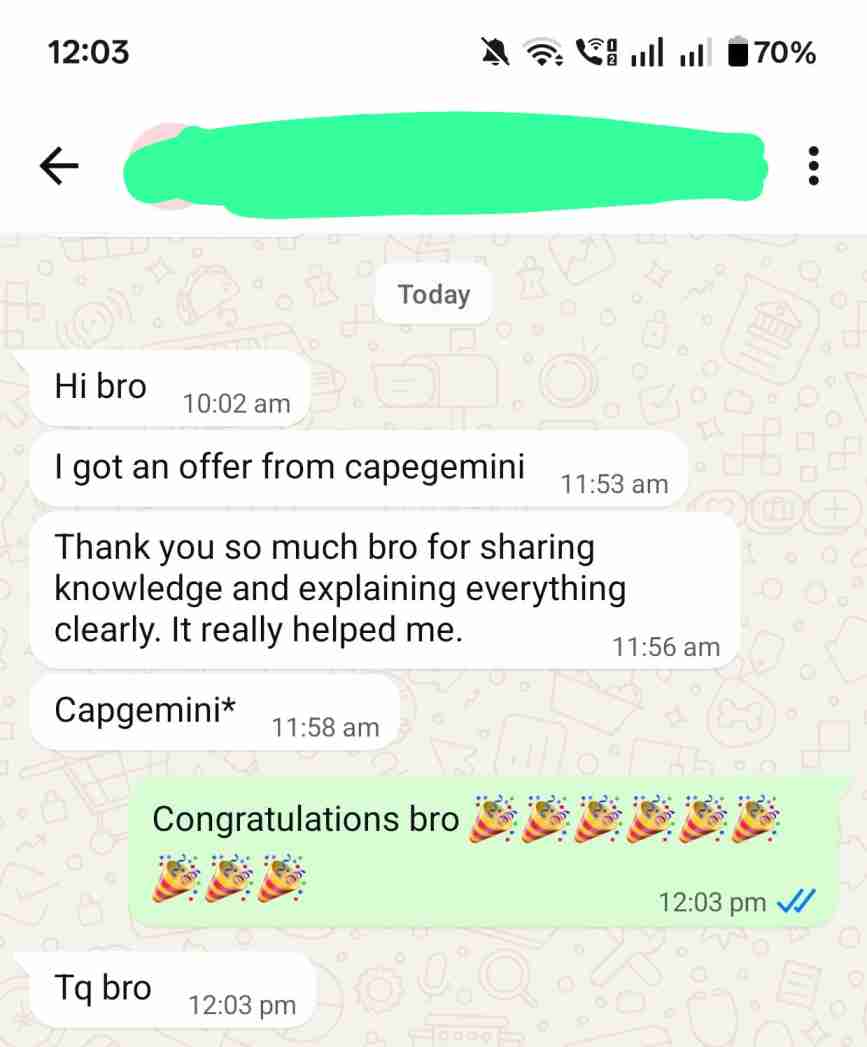
Real experiences.
Shared by our students.
In their own words. Open any screenshot to read it in full.